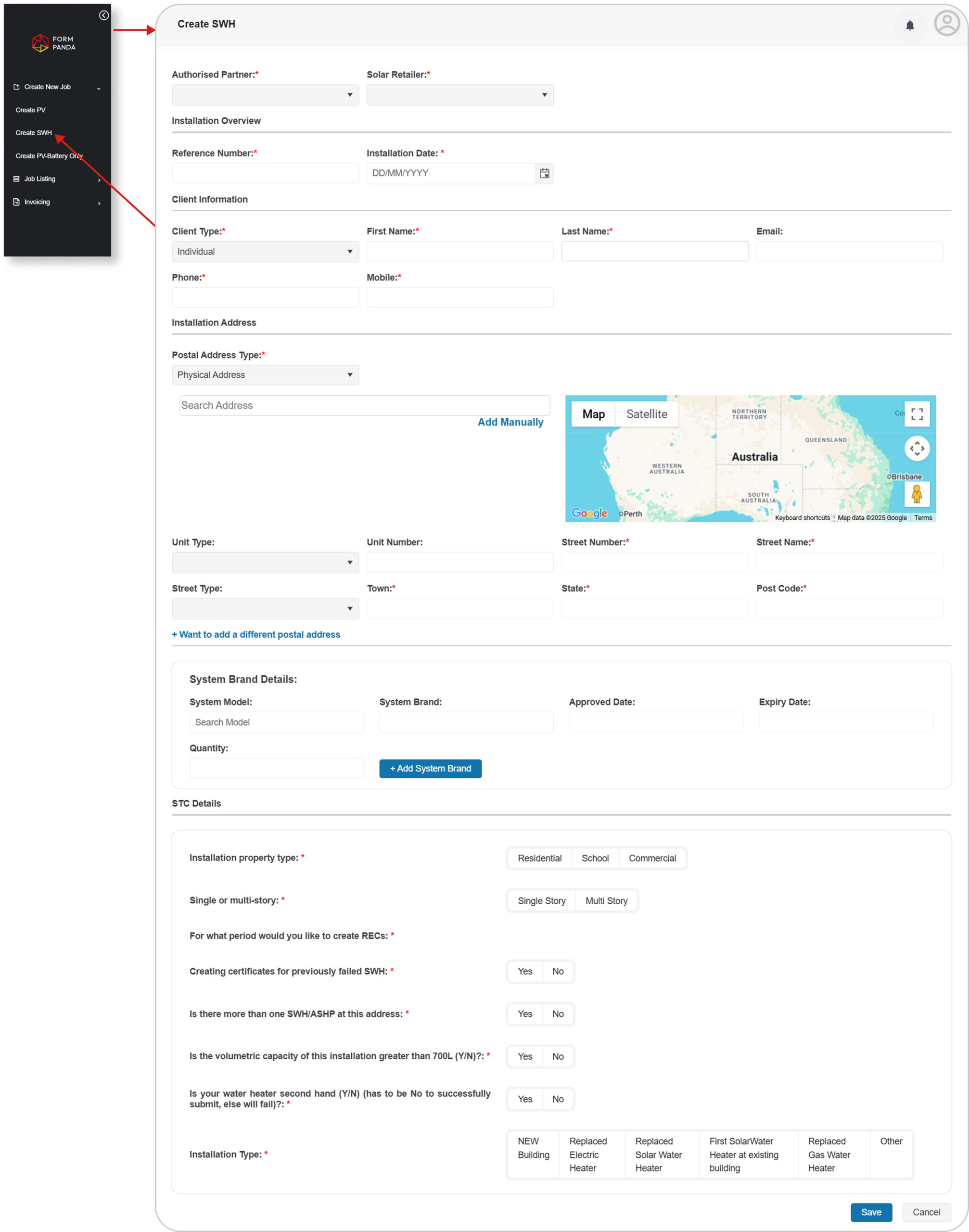
To create a new job, go to the “Create Job” section from the dashboard’s left panel.
From the available Job Types, choose “Create SWH ” to initiate SWH Job.
Fill in the required details related to the Job Type. Click “Save” to complete the job process.
2. View Job List
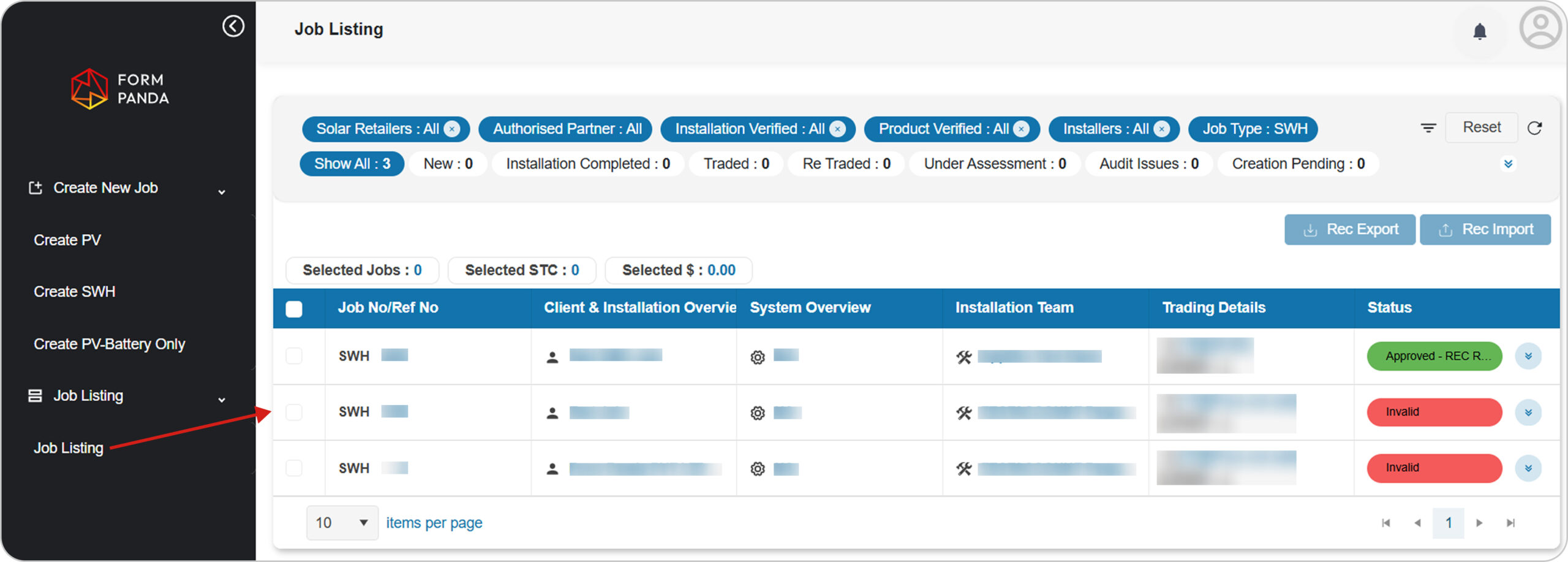
After creating a job, the user will be directed to the Job list, where new job appears at the top of the list. (The job list can also be accessed from the left menu)
In the “Job List Screen” user can search Job by using filters.
Click the “Job No/Ref No” to view Job details.
3. View Job Details
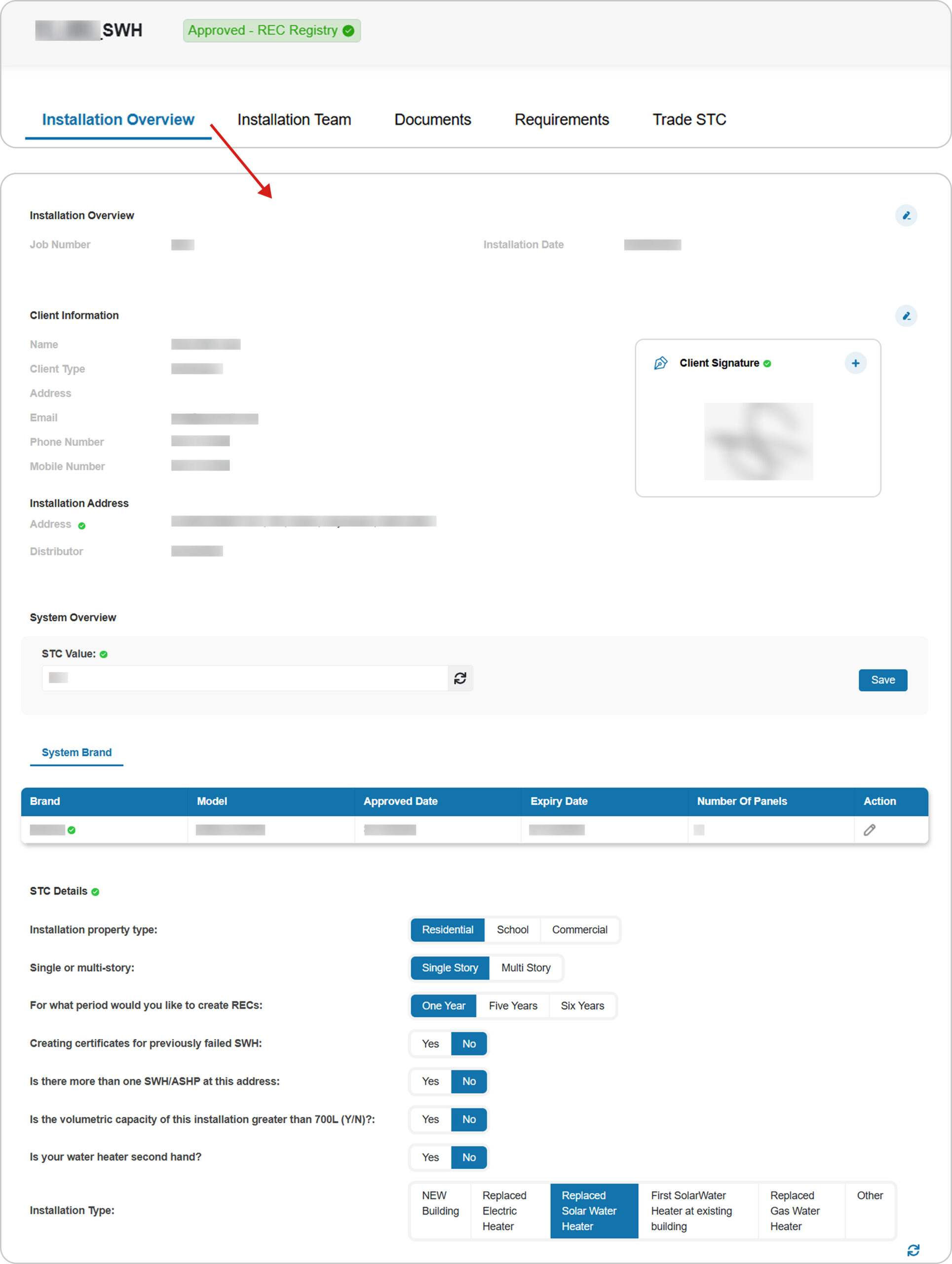
Go to the “Installation Overview” section to view installation details.
Check all the details i.e; Installation Overview, Client Information, Installation Address, System Overview and STC Details.
User can “Edit” information to make changes and “Save“.
4. Installation Team
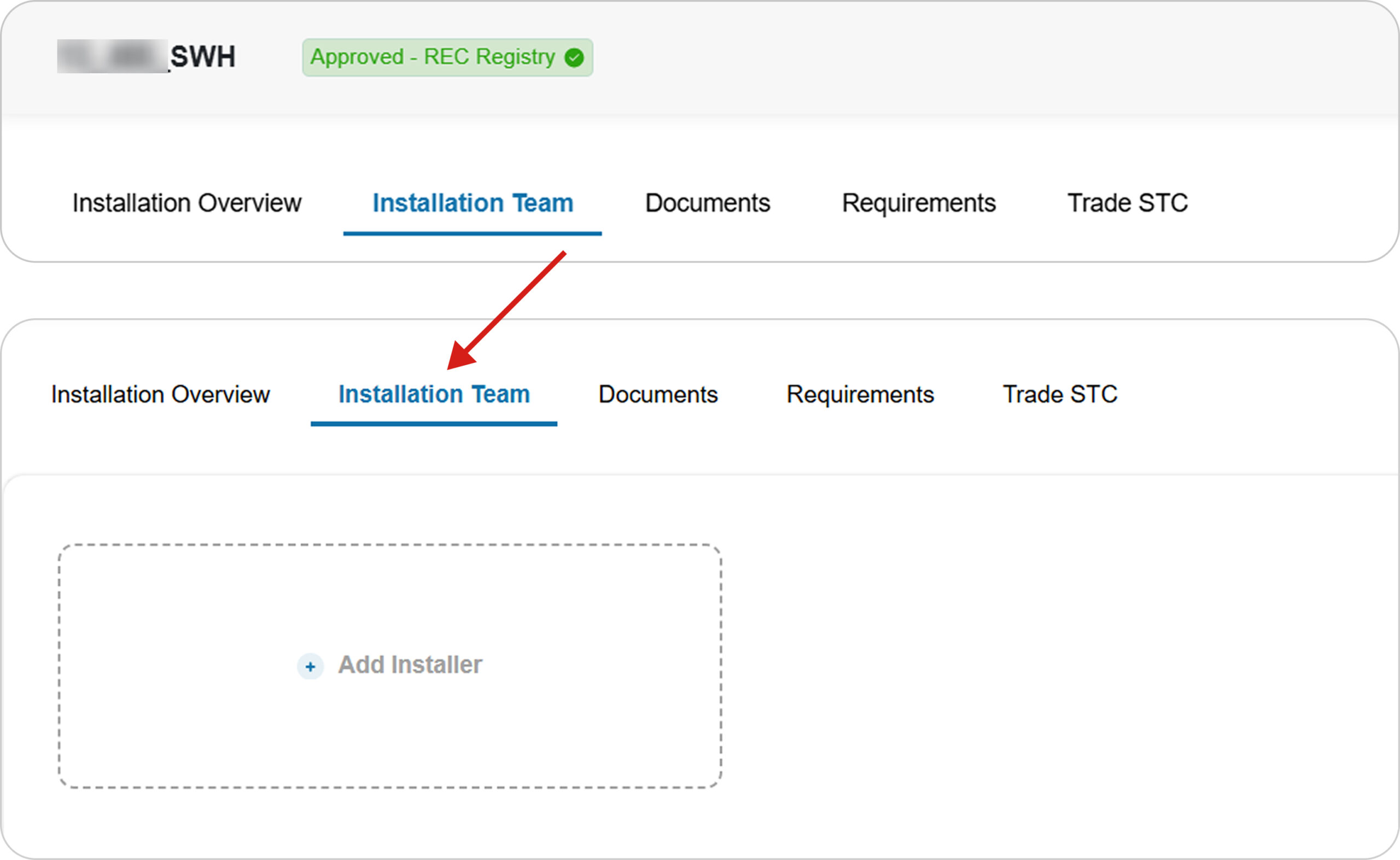
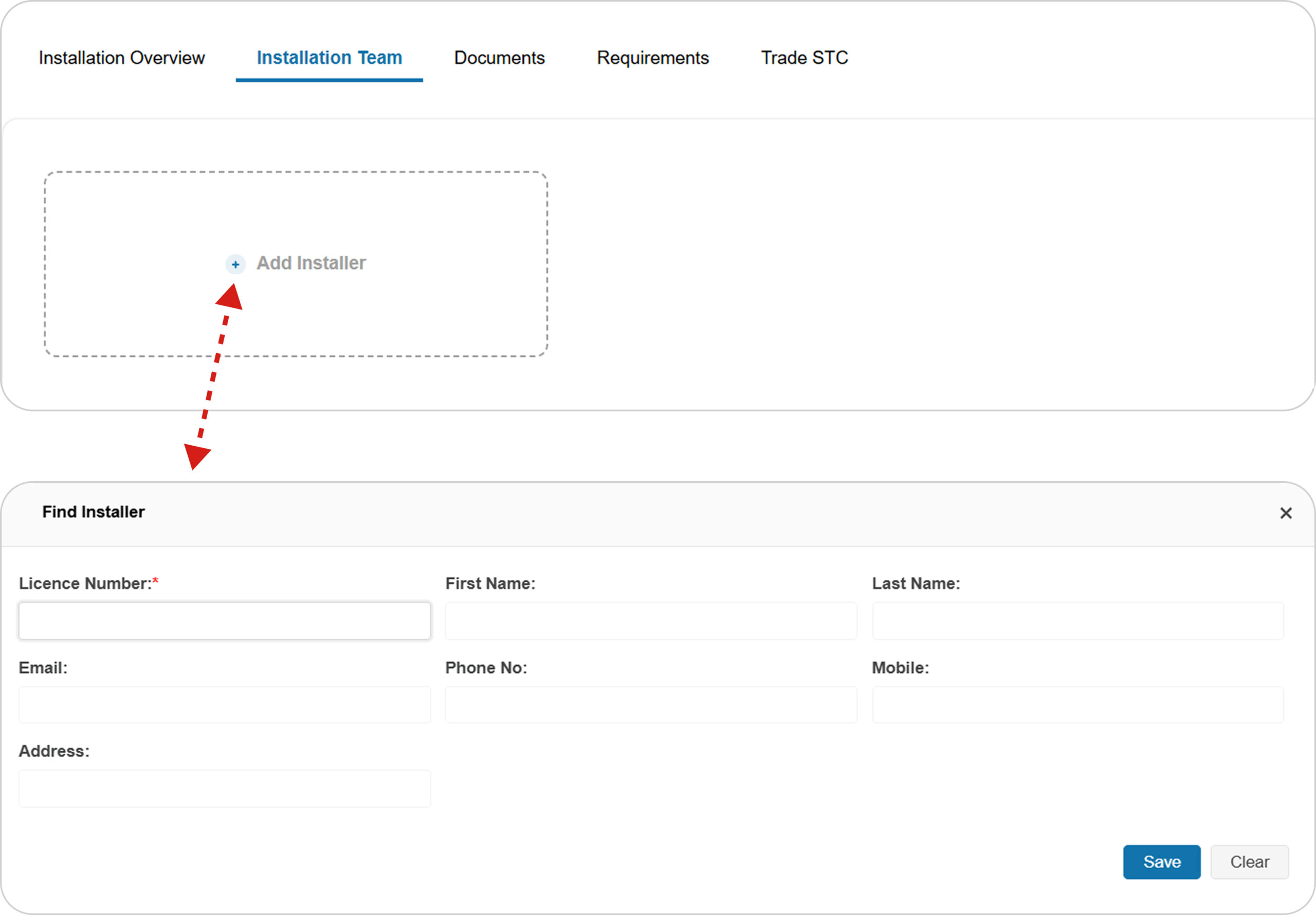
Go to the “Installation Team” tab.
Add “Installer“ in SWH Job by using its “Licence Number“.
Note
Only those installers can add job using their “Licence Number“, if licence state matches the job’s state.
→ Follow these links to see the process of PV and PVB jobs in more detail.
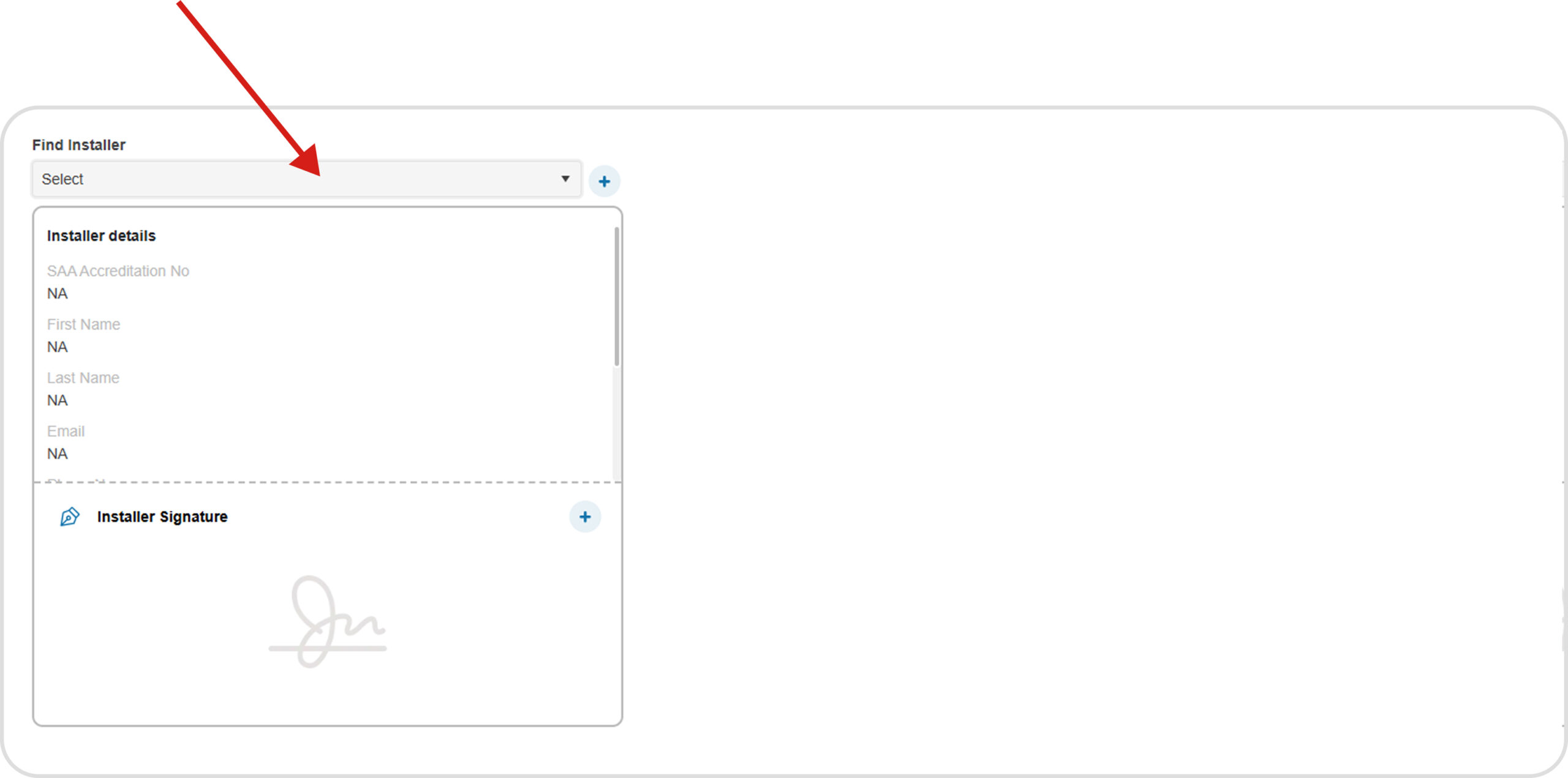
Installer will be automatically listed in the dropdown after being added, User can add them to the job by selecting from the dropdown list.
Add Signature
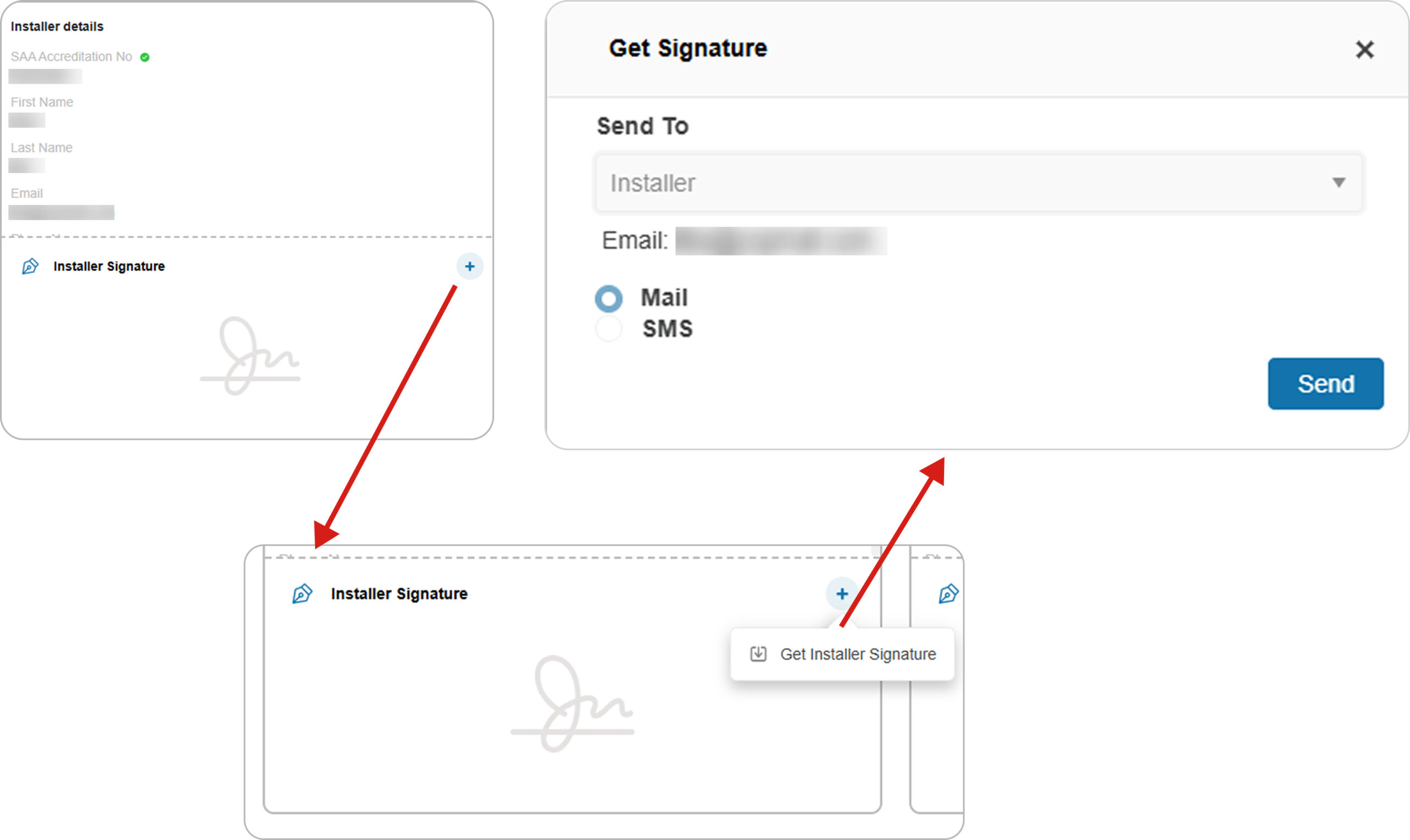
The installation team is expected to sign through mobile app. In case of missing signatures, Solar Retailer can send signature request to their email by following these steps:
Add “Signature” for “Installer“ by clicking the “Add” icon.
Solar Retailer will send signature request via email or SMS by clicking the “Send” button.
“Installer” can add signature by accessing the written statement link sent to their email. Once completed, their signature will appear in the signature section.
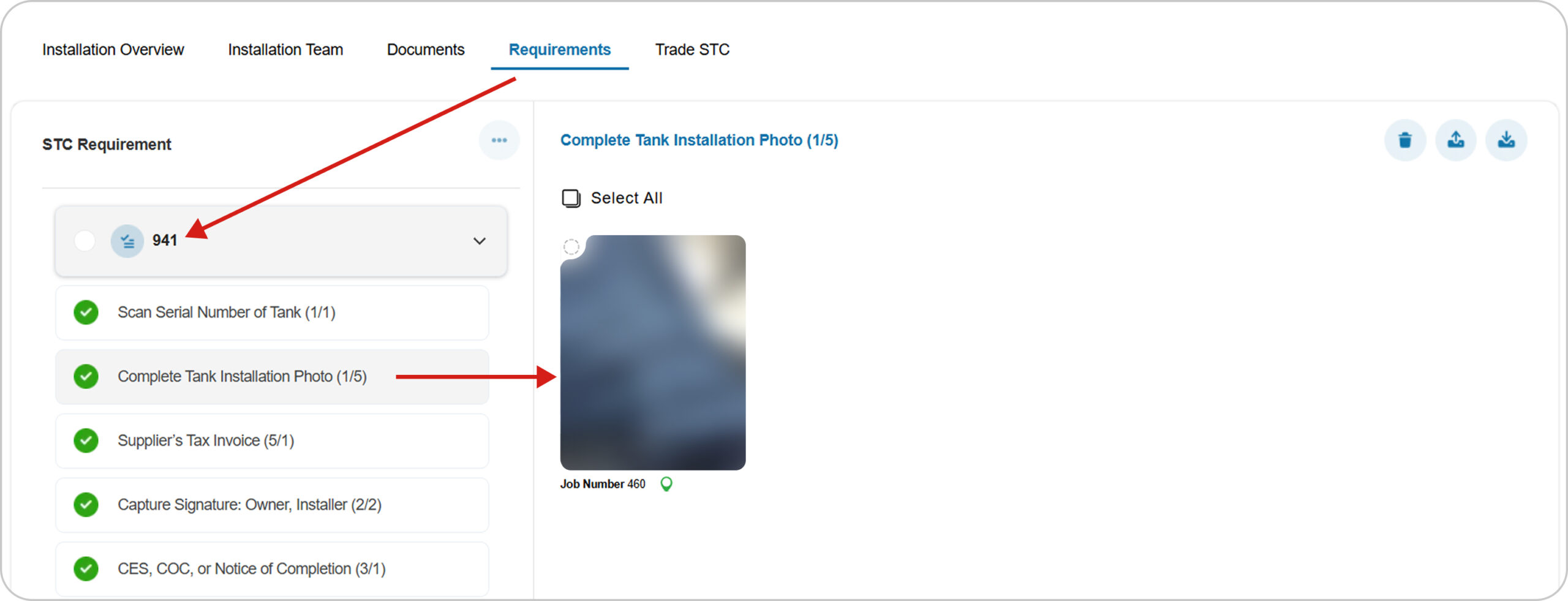
Assigning an installer to a job will automatically schedule a visit, and the auto-generated requirement list for that job will be shown in the “Requirements” tab.
Go to the “Requirements” tab to view the auto-generated requirement list.
The Installation team can add all the required data to the requirement list using mobile app.
After completing requirement list, Installer needs to submit the job using mobile app to update status from “New” to “Installation Completed“.
5. Documents
The CES document can be uploaded directly.
When images are uploaded under the “Photo of Electrical Safety Certificate” requirement, they will be generated as a document in the CES docs.
6. Trade STC Job
Go to the “Trade STC” tab in the job details, Select the pricing term and click the “Trade STCs” button.
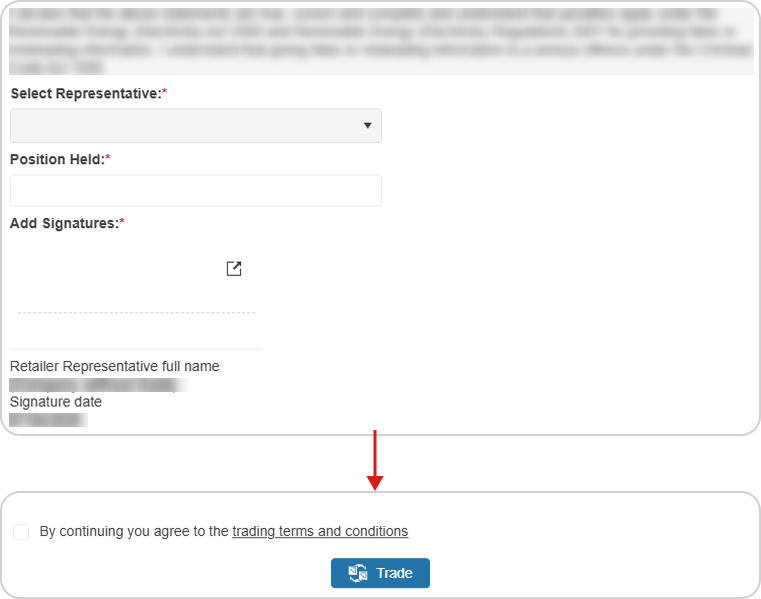
After clicking the “Trade STCs” button, the “Edit Representative Details” popup will appear. Select the representative, fill in the position held, add the signature, agree to the terms and conditions, and click the “Trade” button.
Once trading is initiated, the job moves towards the traded status.