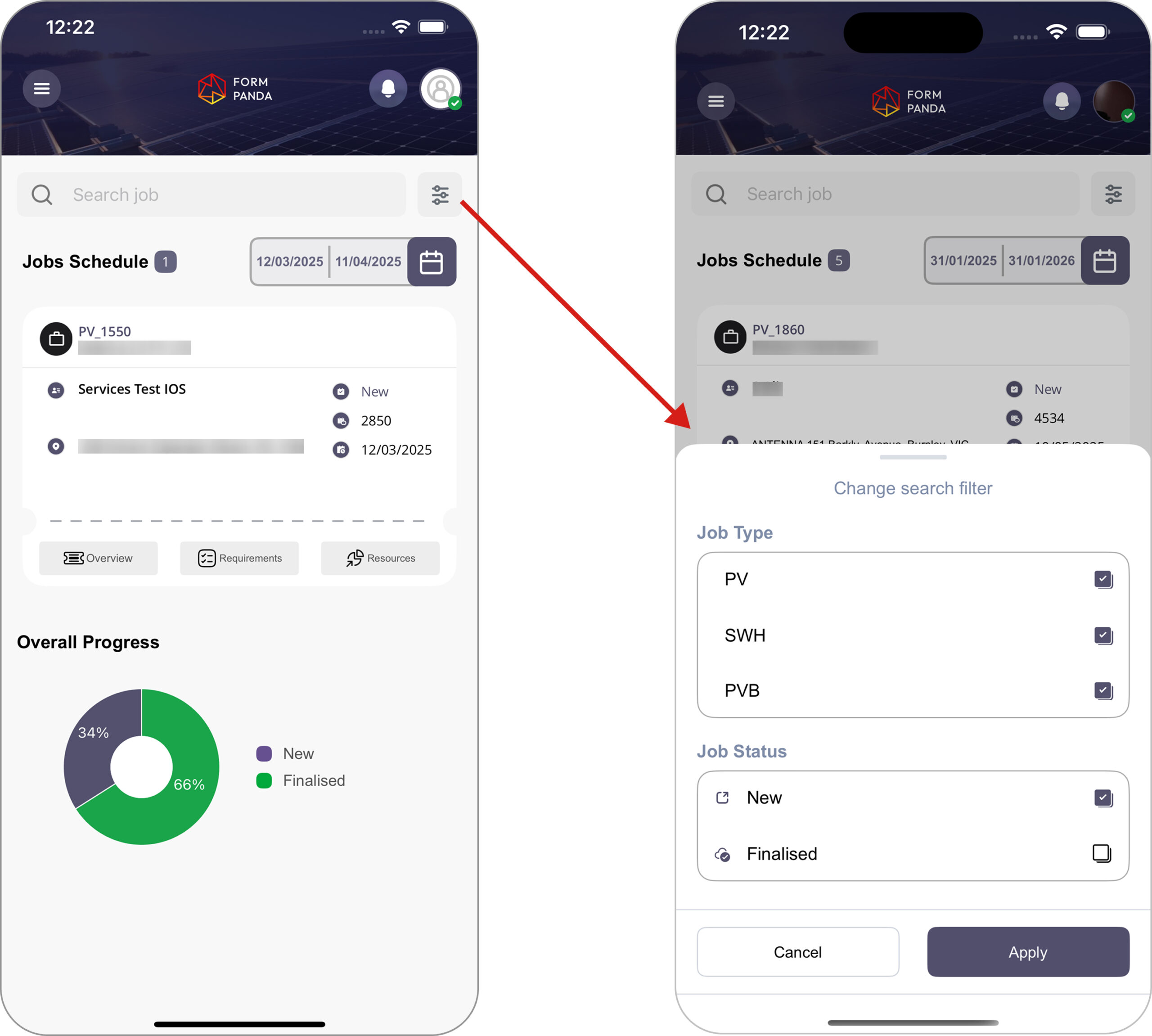
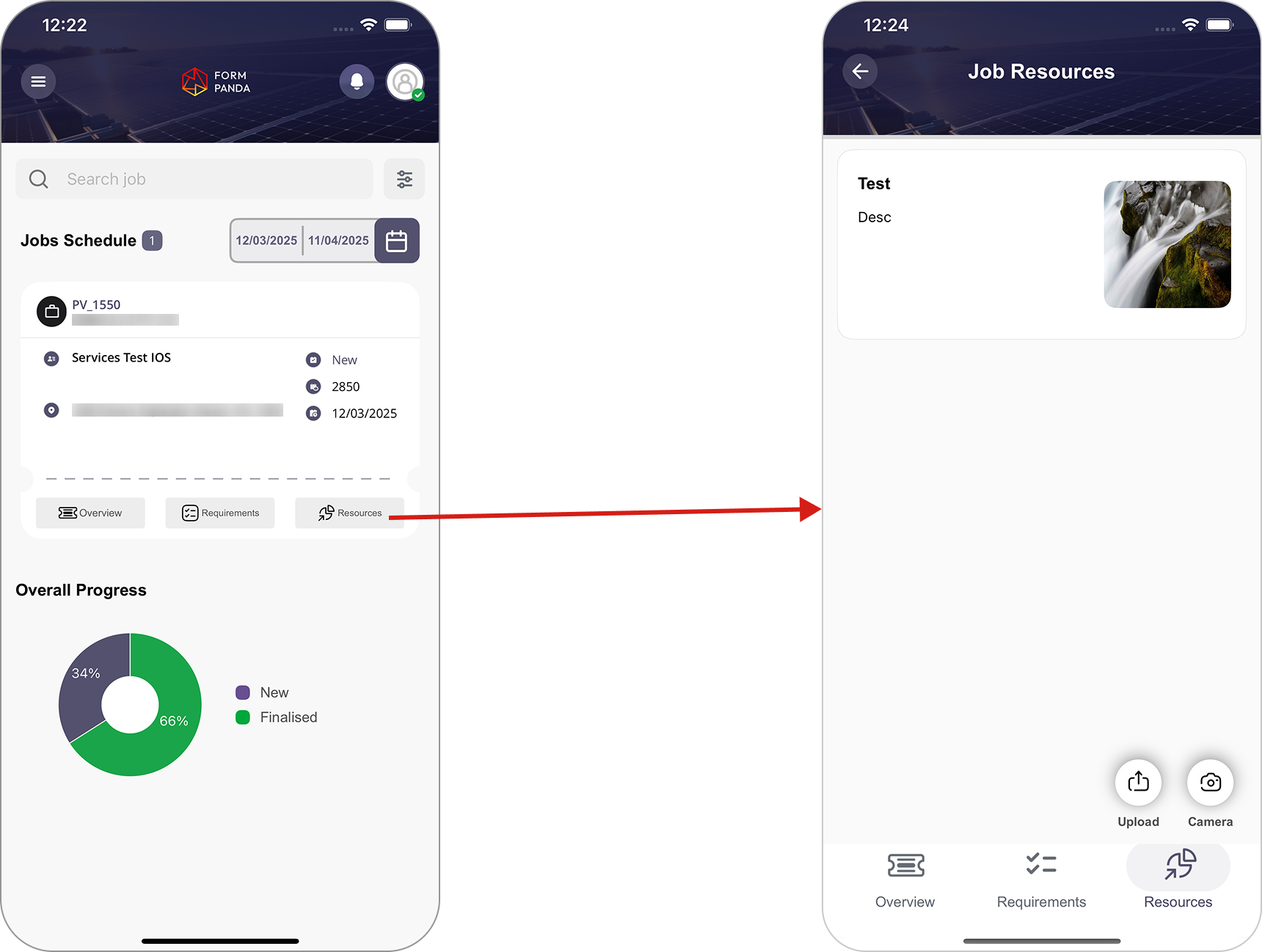
The “filter” icon at the top of the dashboard allows users to sort jobs by “Job Type” and “Job Status“.
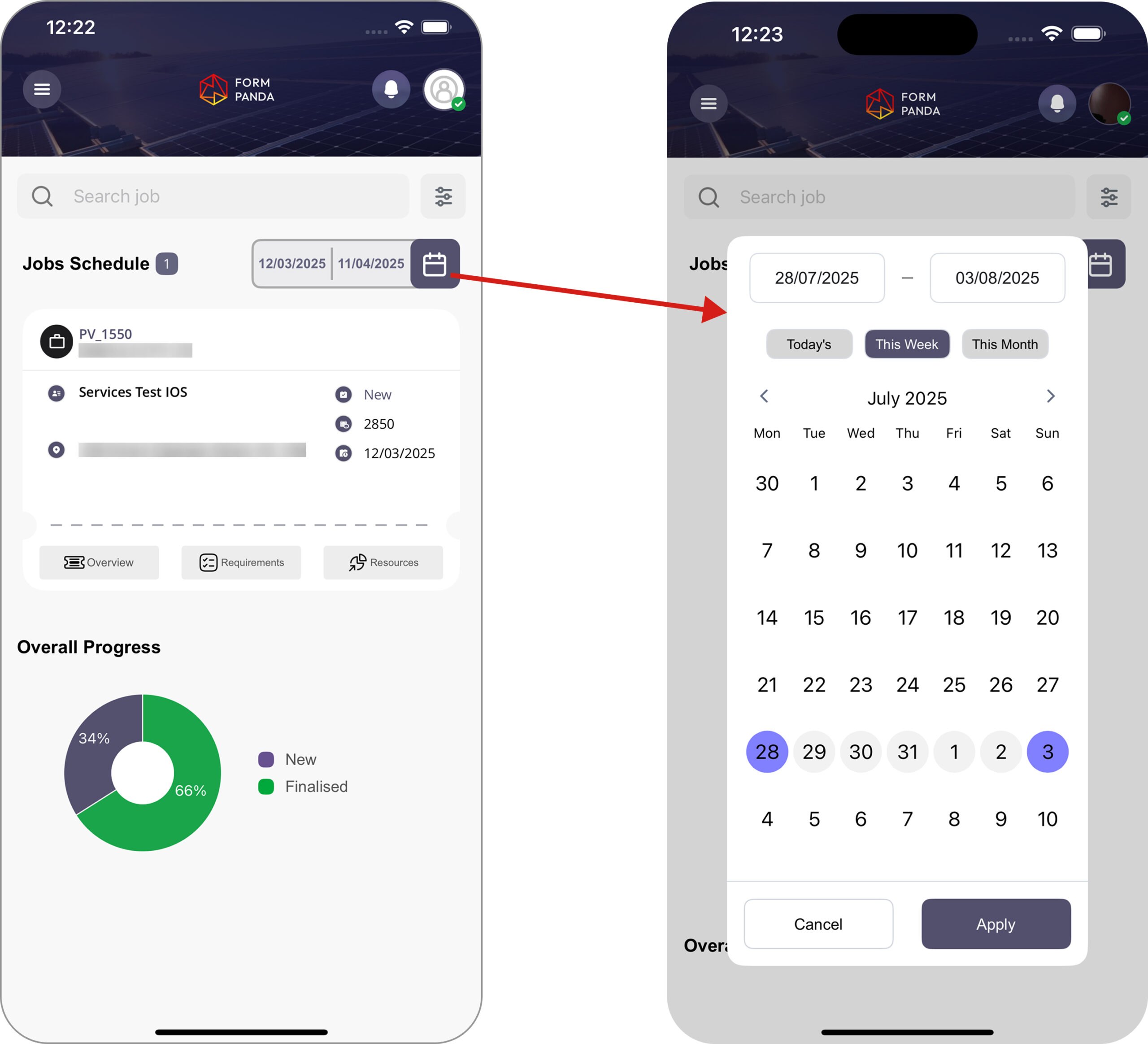
Users can also filter jobs by selecting a date range through the “Calendar” icon, A date selection popup allows users to adjust the job schedule date range and confirm to update the job list.
The system automatically highlights the last 6 and next 6 month on the calendar.
The Overall Progress section uses a pie chart to visually represent a clear overview of job statuses, by categorizing them on the basis of total “New” and “Finalised” Jobs.
2. Job Schedule Overview
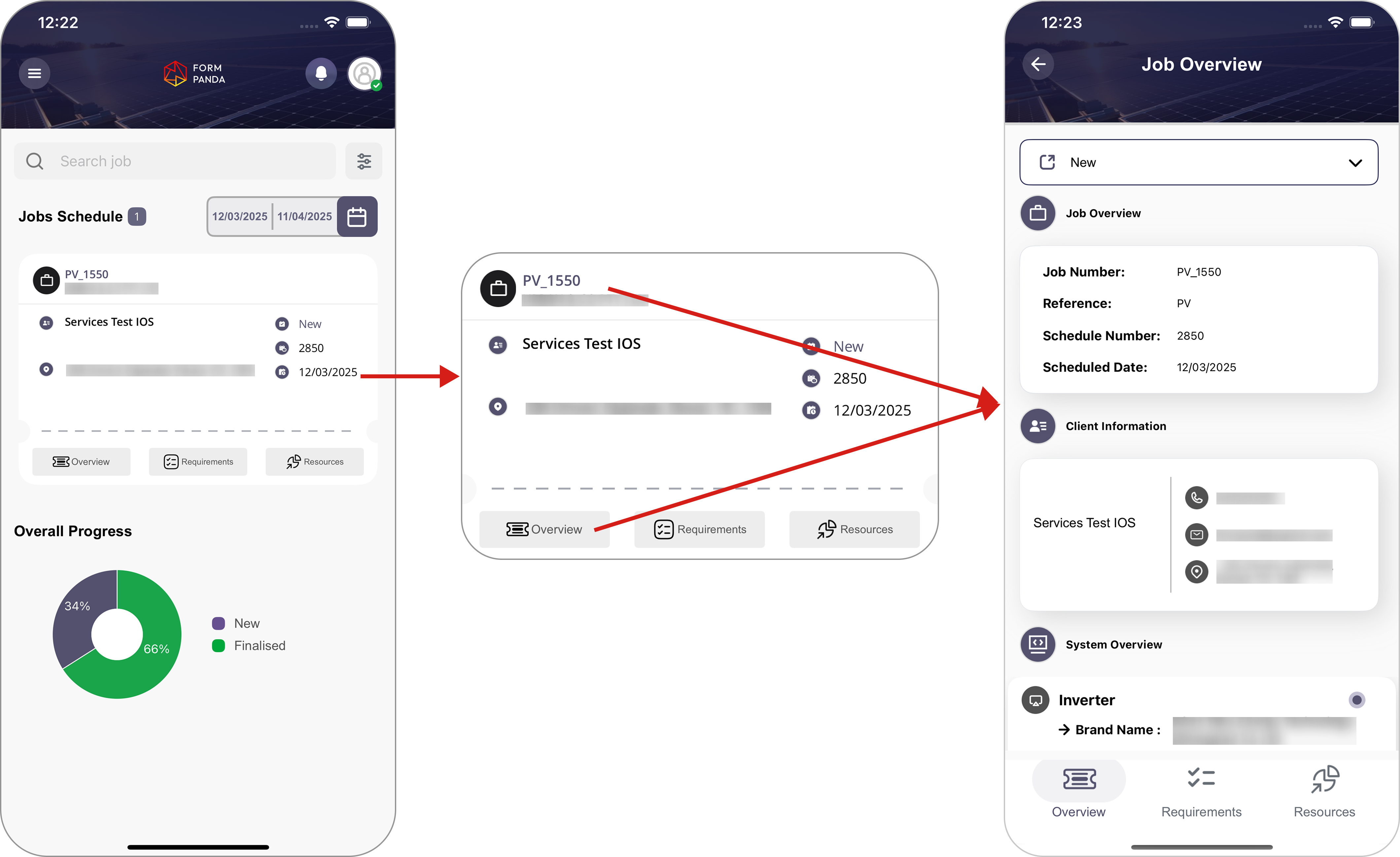
Clicking the Job ID or Overview button redirects the user to the Job Overview page, where user can see detailed information related to that specific job.
Job Overview displays detailed job information, including “Job overview“, “Client Information“, and “System Overview“.
3. Requirement Overview
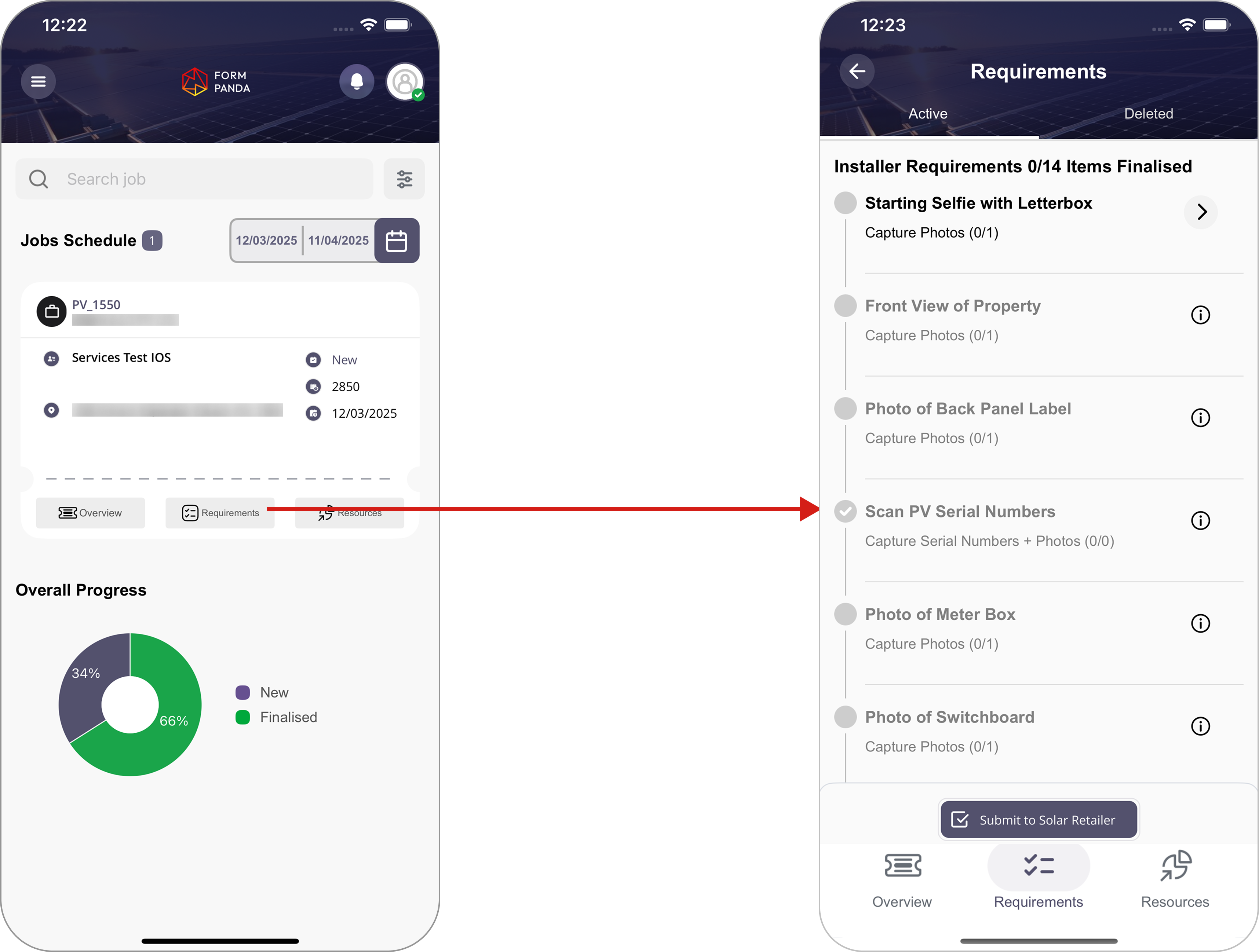
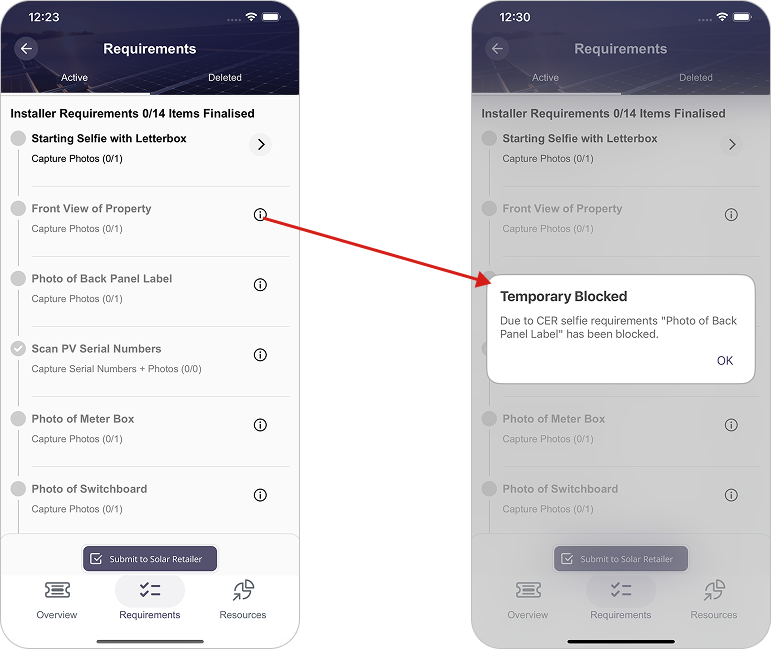
The “Requirements” Page provide requirement list for installers, ensuring all tasks are completed before job submission.
Progress tracker (e.g., 0/14 Completed) shows the current completion status.
The system requires the starting selfie to unlock further checklist items.
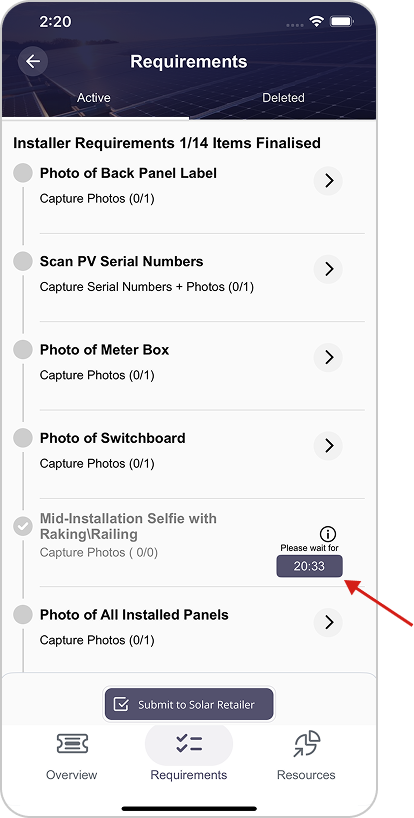
The platform enforces minimum 45-minute gap between installer selfies (beginning, middle, and end) to ensure proper installation timing and avoid back-to-back submissions.
Once the first selfie is taken, the mid-selfie checklist item will be locked for 45 minutes. After the timer expires, you can proceed to take your mid-selfie. (The required time increases based on the number of job panels).
Selfie timer is automatically set based on the number of plates, with each plate requiring 2 minutes of processing (i.e., 25 plates × 2 minutes = 50 minutes).
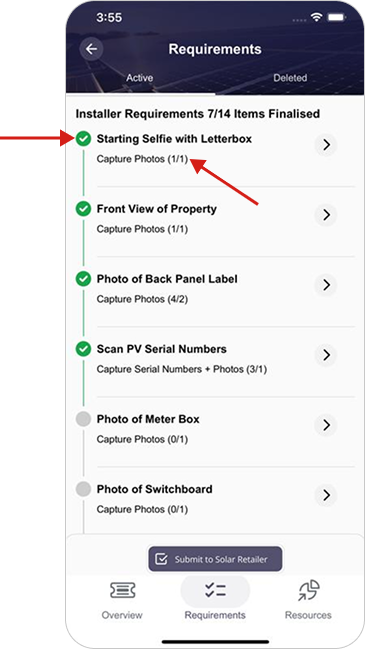
Green check-marks with requirement list indicates the number of completed items.
“Capture Photos (1/1)“shows the number of photos required and uploaded.
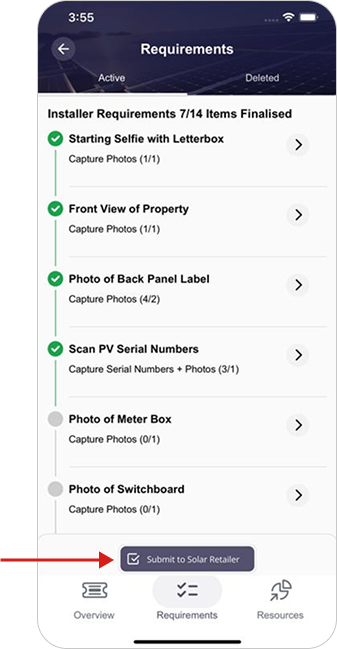
Installer will upload all required data and submit the job by clicking the “Submit to Solar Retailer” button , job status will move from new to finalized.
4. Resources Overview
The Job Resources Page serves as a centralized location for managing and accessing job-related files and materials.
It allows users to upload, view, and manage required photos with title and description, for the specific job.