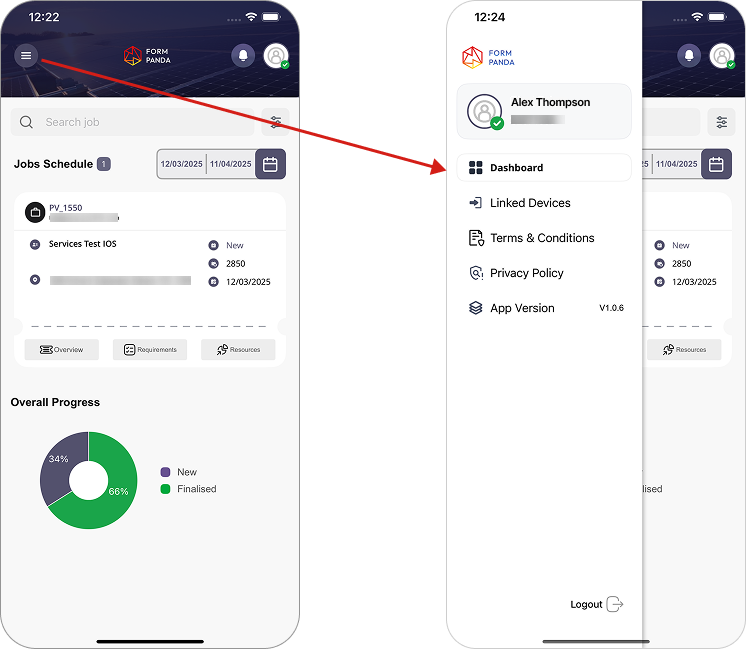
To access your profile details, click the “menu” icon in the top-left corner.
This will show a list of options like “User Profile Details,” “Dashboard,” “Linked Devices,” “Terms and Conditions,” “Privacy Policy,” “App Version.” and “Logout“.
User can select any of these options to manage account settings or view relevant information.
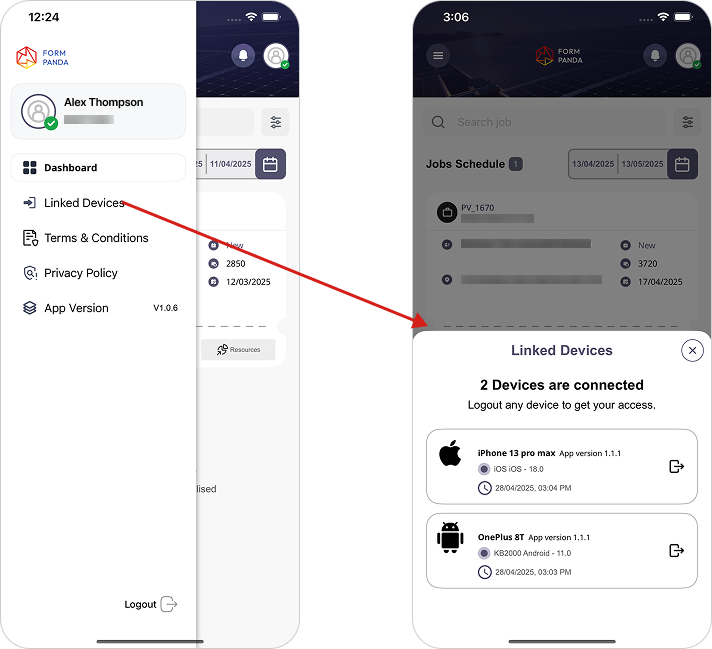
2. Linked Devices
Solar installers can manage accounts across multiple devices.
Logged-in users can view all connected devices associated with their account through the linked devices section.
Only two devices can be connected to the same account at a time.
3. Installer's Profile Overview
Installer’s/trade specialist can view their documents through the “profile icon“, accessible from both the “Menu” and the “Dashboard“.
User cannot make changes in these documents while they are in “pending” state or have been “approved” by the admin.