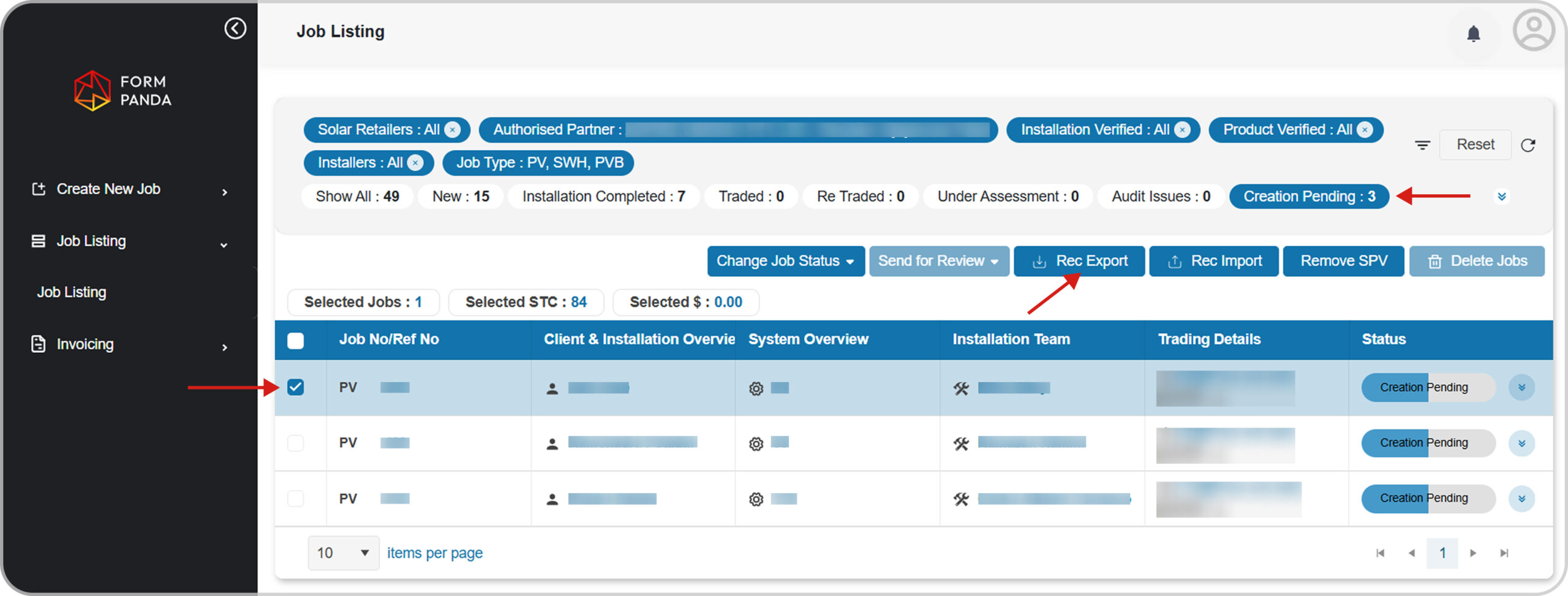
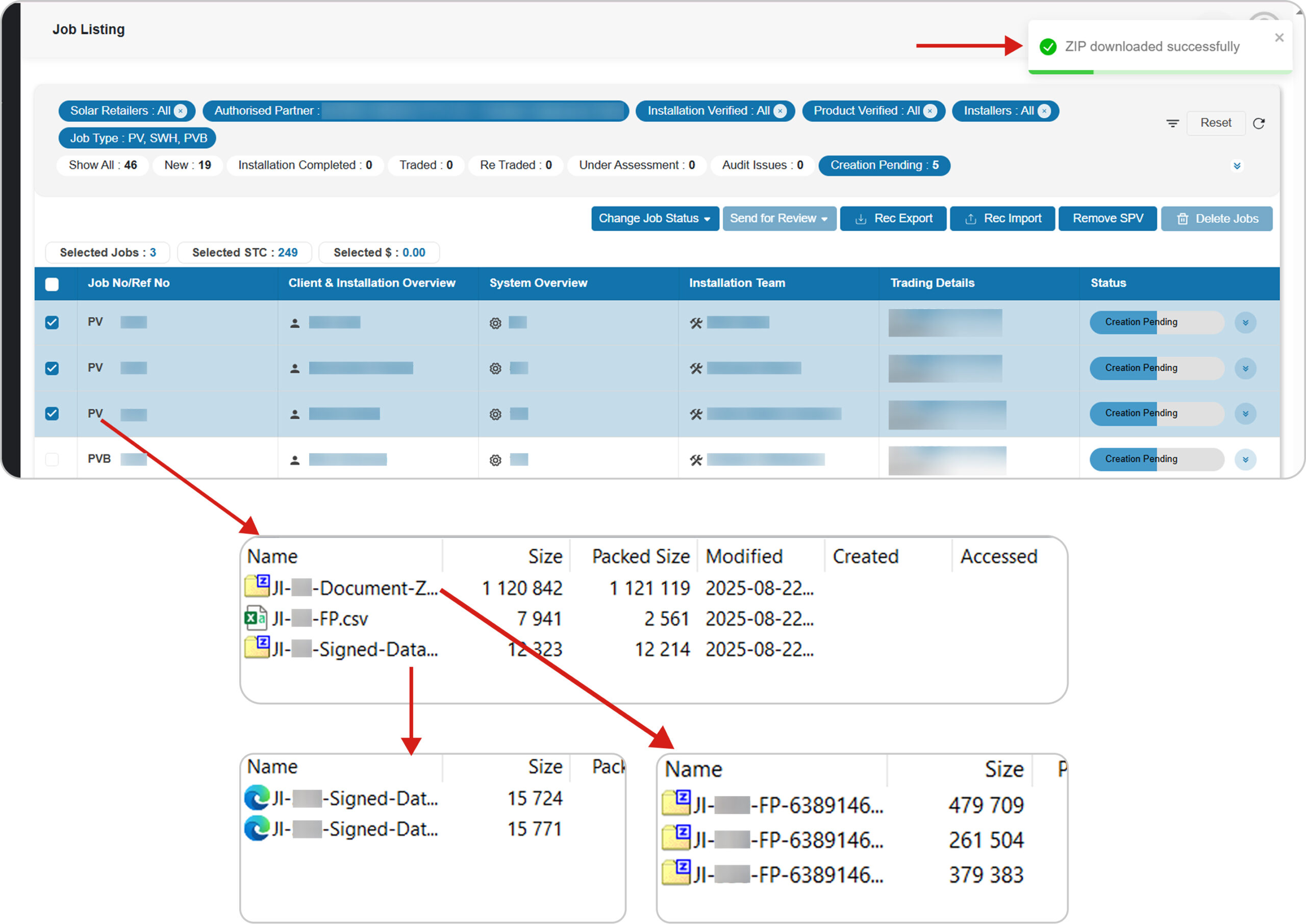
To Export REC Data, Go to the “Job Listing” screen.
Filter by “Creation Pending” status , select the required job, and click “REC Export” button to generate the file.
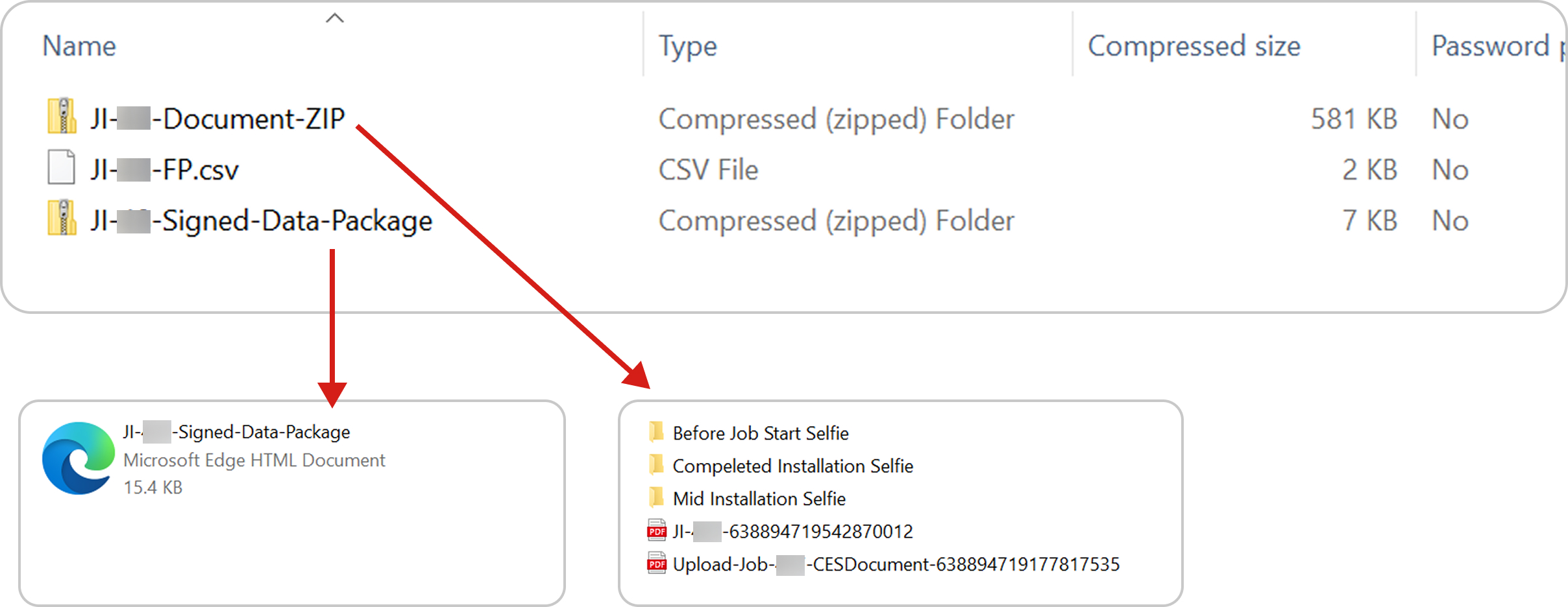
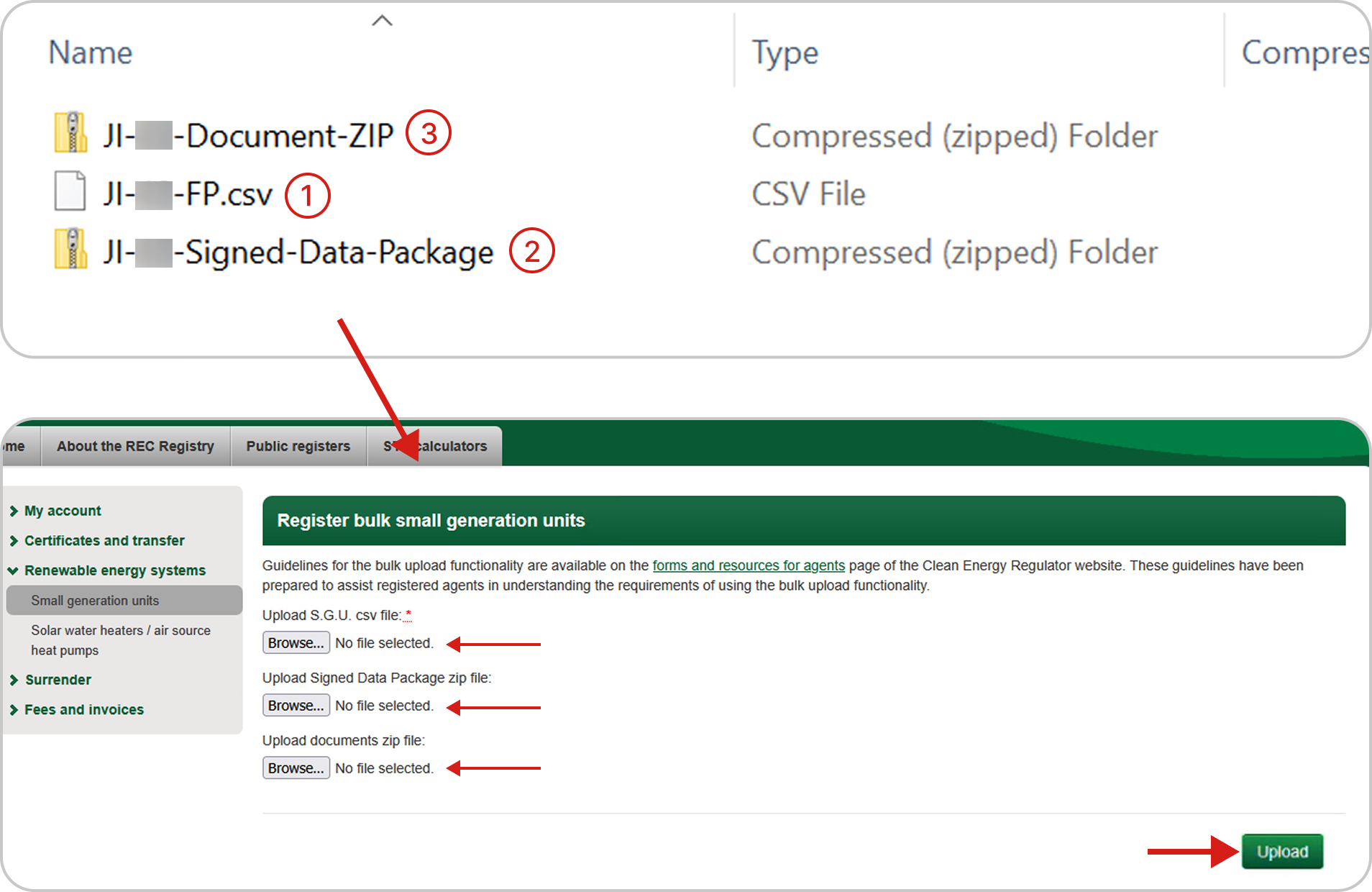
Once the export is complete, unzip the file to access the following three items for PVJob: (Documents, CSV, and Signed Data Package)
Note: PVB and SWH job types contain only a CSV file.
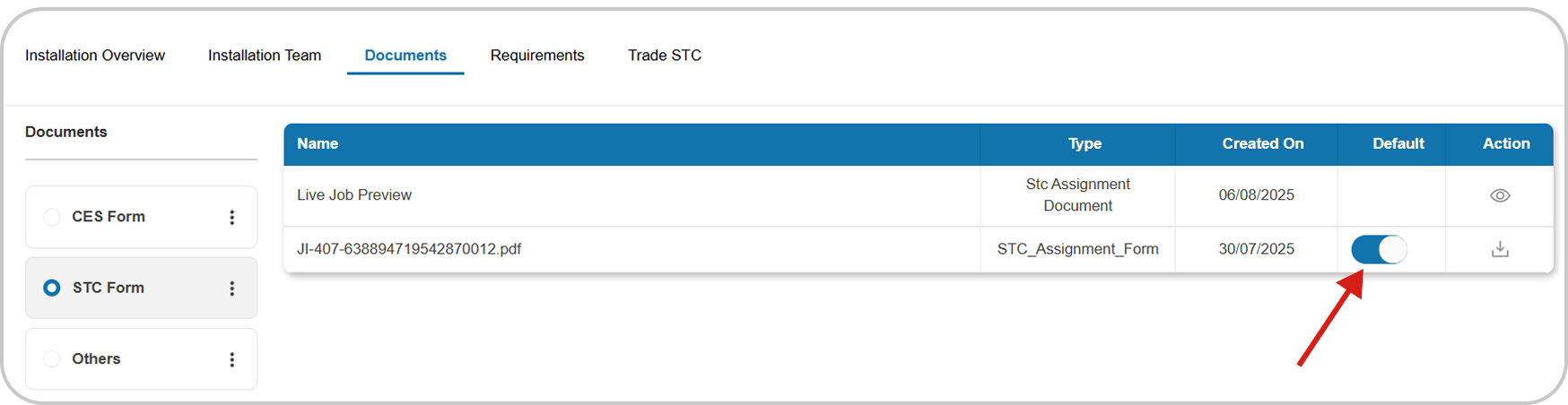
Note
Related Documents must remain enabled (Set to ‘True’) for the system to allow downloading that document.
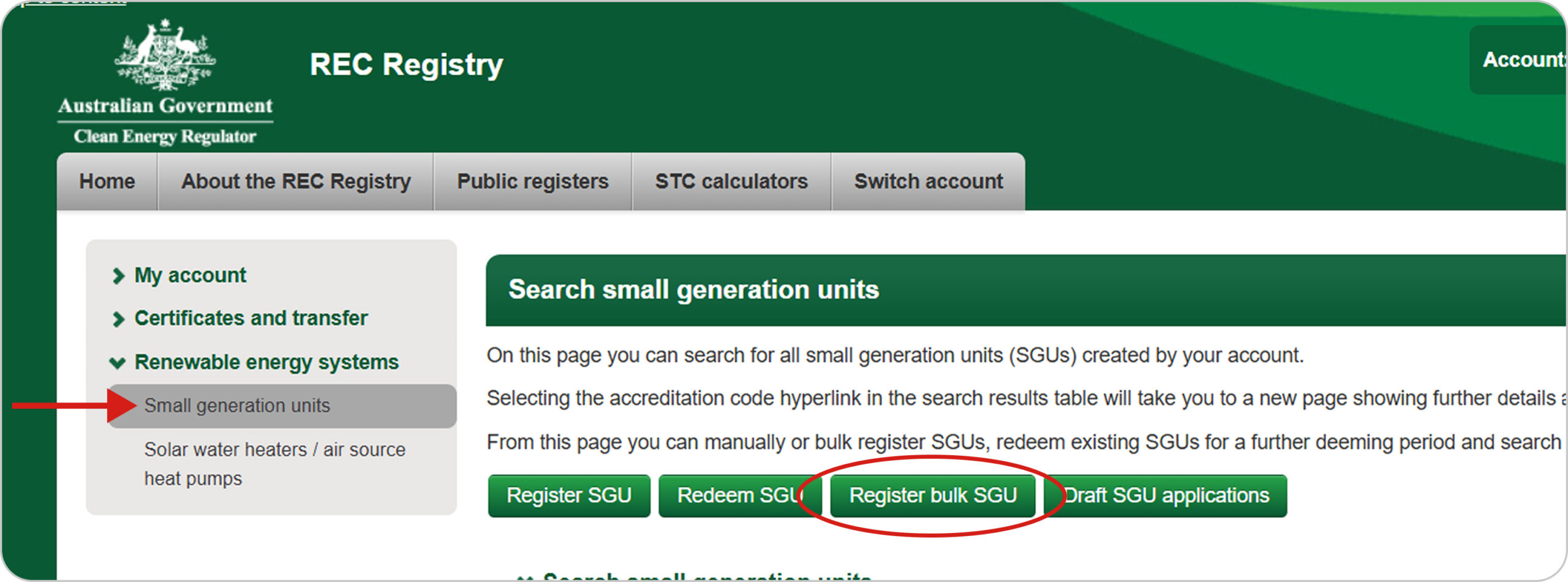
From your REC Registry account, go to “Small-scale Generation Unit” under Renewable Energy Systems and then choose the ‘Register Bulk SGU‘ button.
For a PV job, select the ‘S.G.U. – Solar (Deemed)’ option and in case of PVB job, select ‘S.G.U. – Solar Battery (Deemed)’.
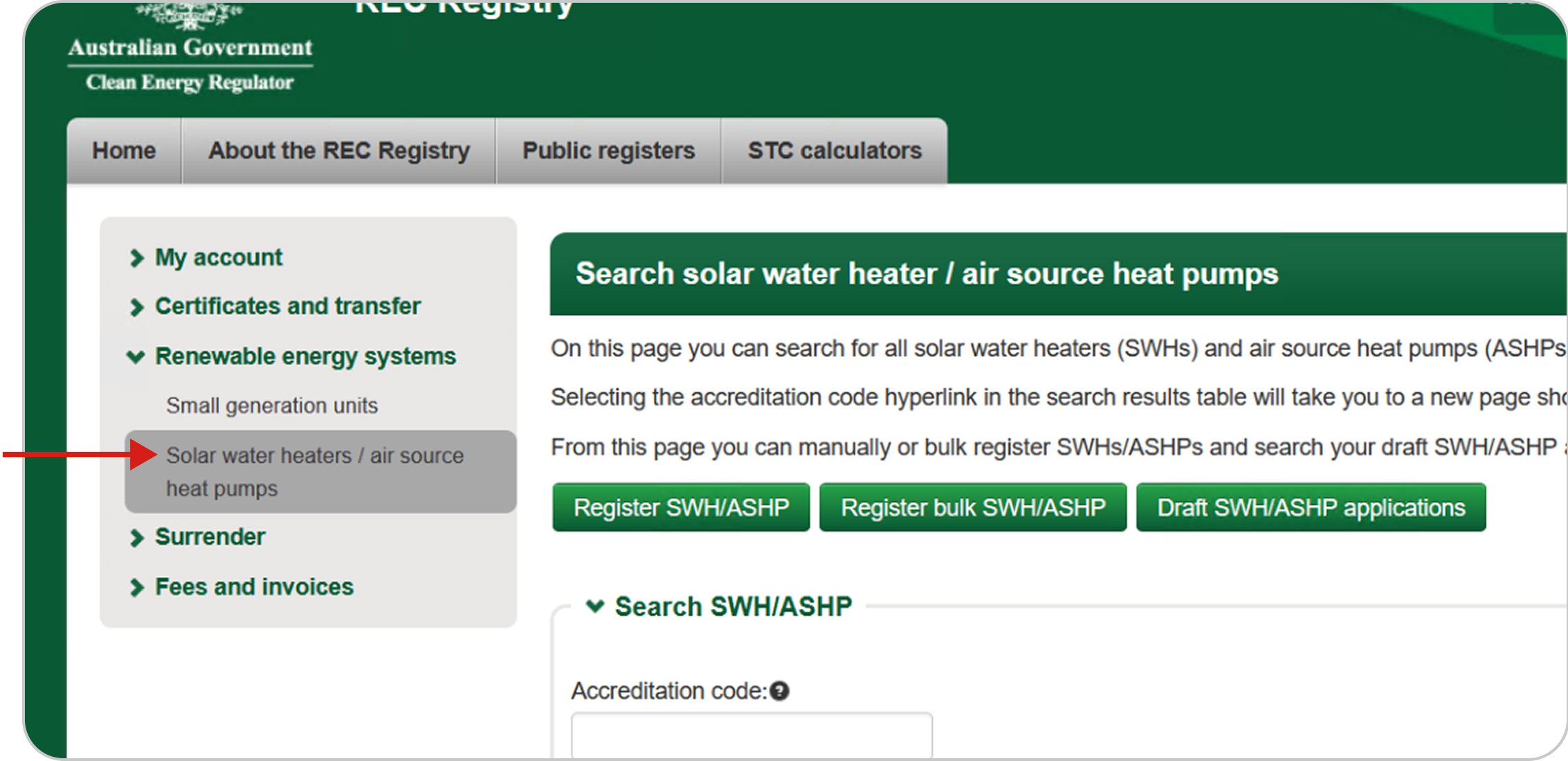
In case of SWH Job Type: Go to “Solar water heaters / air source heat pumps” under Renewable Energy Systems.
Upload the available files to their respective locations: Start with the CSV file, then Sign Data Package, and finally the Documents file.
Once all files are uploaded, click ‘Upload‘ button to complete the submission.
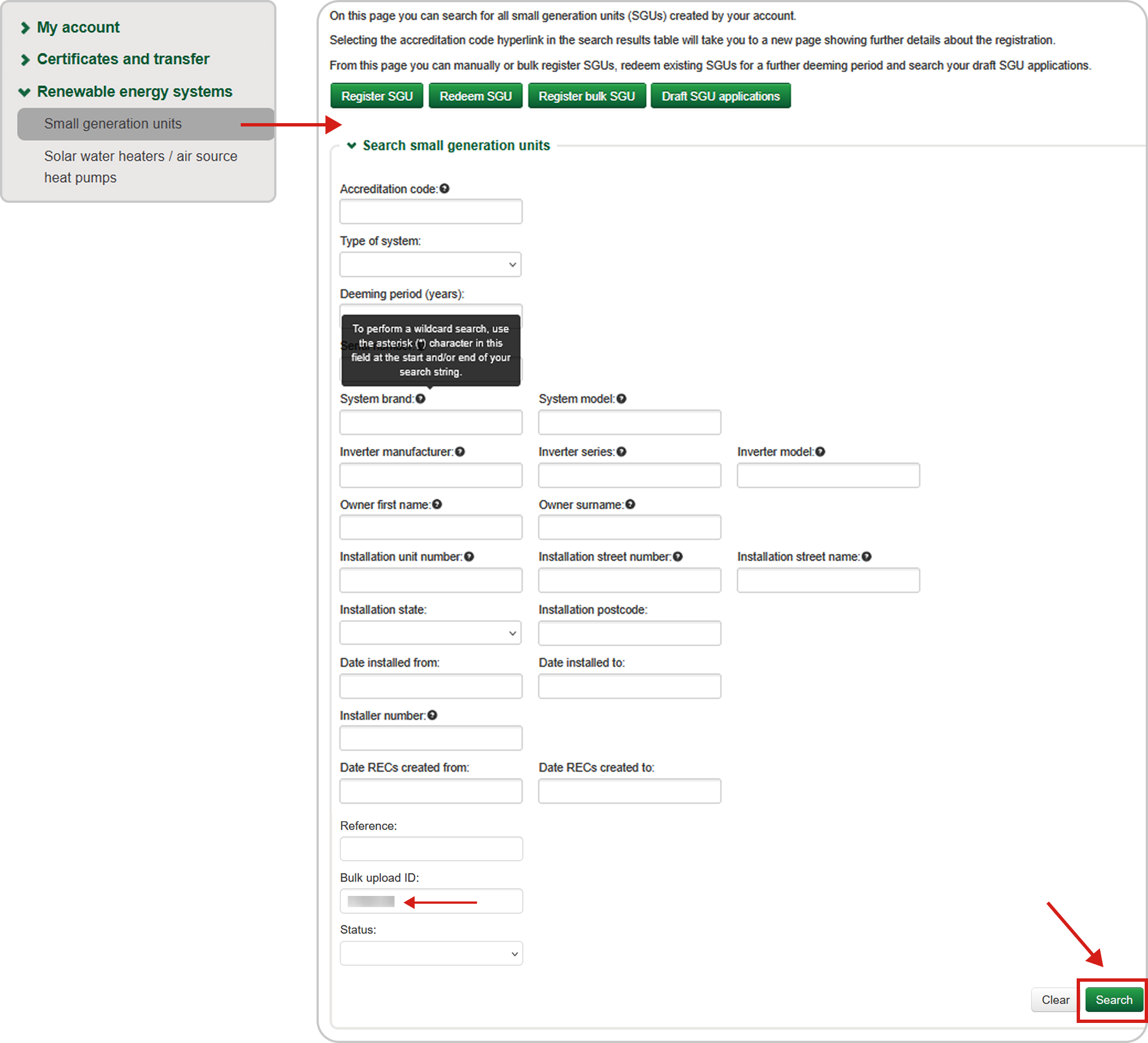
Once the files are uploaded successfully, the REC Registry will generate a Bulk Upload ID under the same page.
Go to “Small-scale Generation Unit” under “Renewable Energy Systems“, and paste that ID to search for it under the “Bulk Upload ID” field.
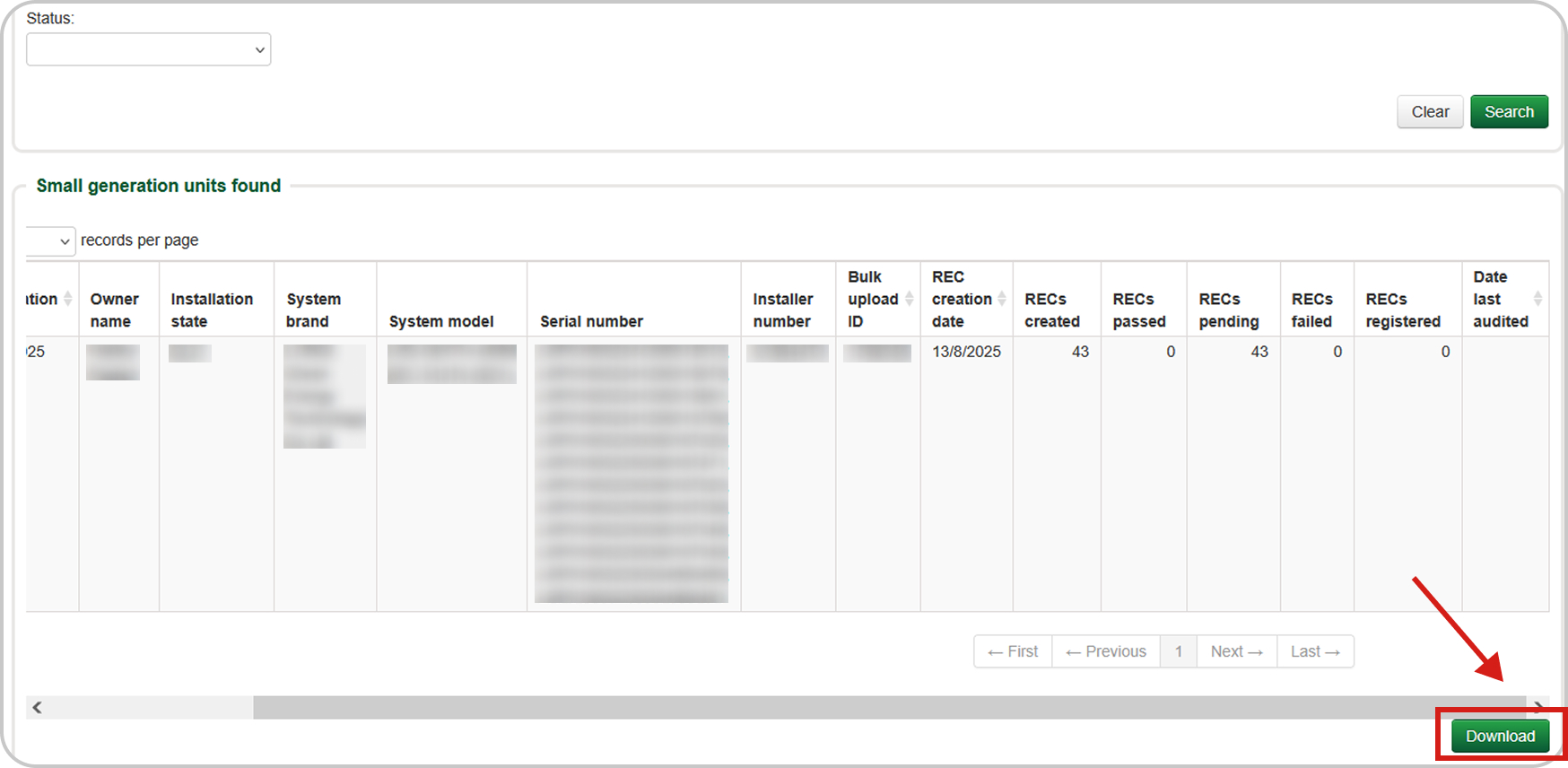
Once the data loads in the table below, click the ‘Download‘ button to download a CSV extract of your created job.
2. Steps To Import REC Data
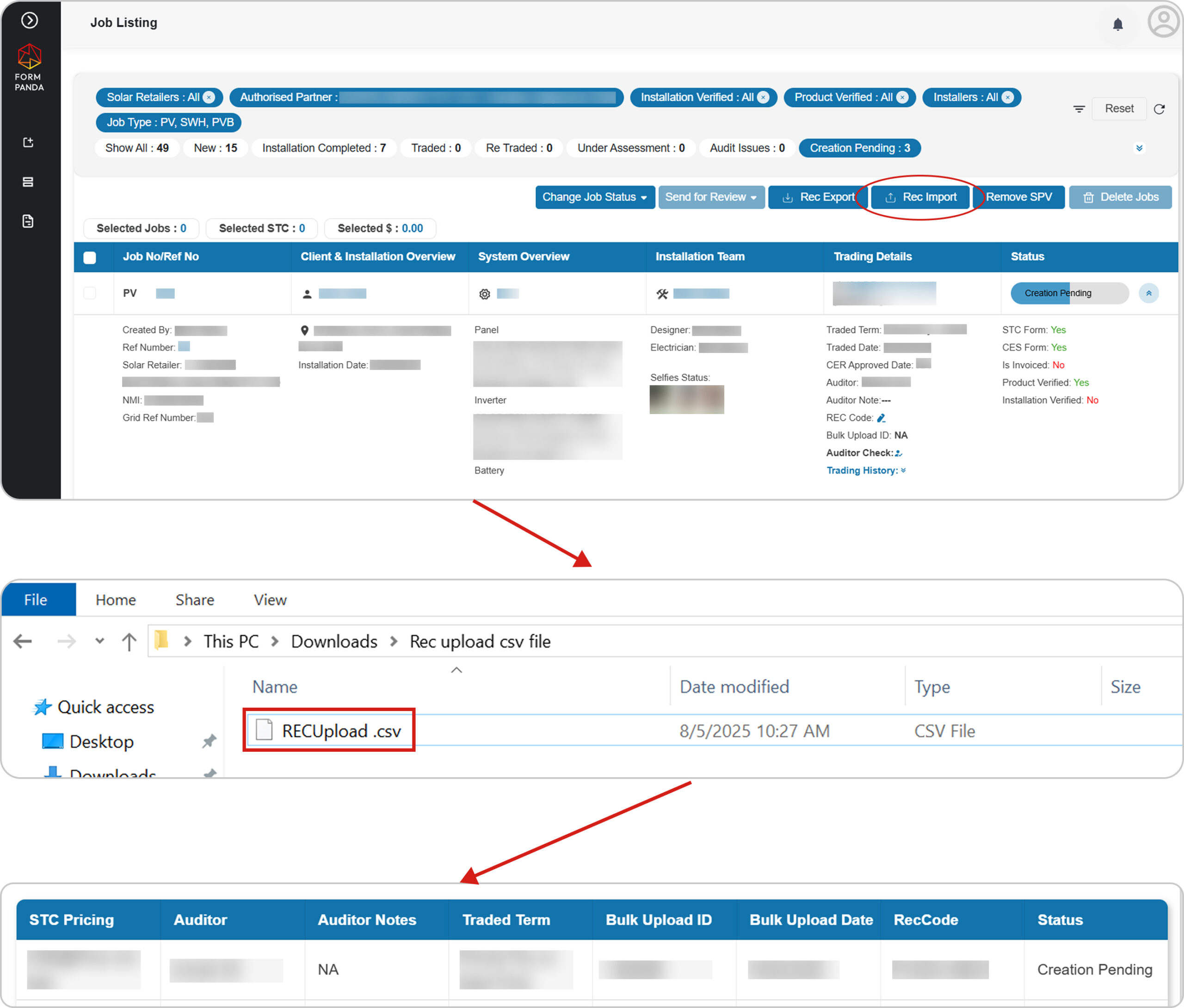
To Import REC Data, Go to the “Job Listing” screen. Filter by “Creation Pending” status.
Click the “REC Import” button to upload a CSV file downloaded from the REC Registry site. The system will update the job data by matching ‘REC Code’ identifier.
Once the REC data is imported, the job status will automatically update from ‘Creation Pending‘ to ‘Pending REC Registry‘.
Note
The same process works for multiple jobs. By using the “Rec Export” button, you can export multiple jobs in a single ZIP file, containing CSV files and related documents for all selected jobs.